
Keeping a SpriteKit game at 60fps on Apple Watch
Eight changes that mattered, including two that cost more total work and still ran smoother
By Crown Games
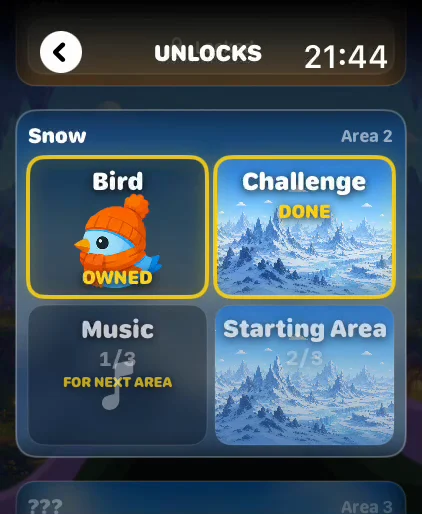
Soar is a momentum flying game for Apple Watch with procedural terrain, 17 biomes and a full soundtrack. It is built to a 60fps frame budget, and holding that budget on a watch took a specific set of changes rather than one big optimisation.
Soar is our game, so this is a write-up of our own code. The numbers below are the constants that are actually in the shipping build.
The one that sounds wrong: we capped the iPhone version at 60fps
The iPhone companion runs the whole game. Modern iPhones have 120Hz ProMotion
displays, and an uncapped SpriteView will happily drive the scene at 120fps.
That made it worse. The game’s per-frame budget was tuned for 60fps, including terrain baking and the allocations that go with it. Running it at 120 asks for twice that work in the same wall-clock second, it does not fit, and the result is stutter on the most expensive phone.
#if os(iOS)
static let preferredFPS: Int? = 60   // cap: ProMotion would run the
#else                                // 60fps-tuned loop at 120
static let preferredFPS: Int? = nil  // watchOS: let the system decide
#endif
On watchOS we pass nil and let the system pick. It settles at 60 where the
hardware can sustain it, and drops when it cannot, which is the behaviour you
want on a battery you did not budget for.
The one that also sounds wrong: bigger terrain chunks, fewer hitches
Terrain is generated in chunks. The obvious way to reduce the cost of building a chunk is to make chunks smaller.
We went the other way, from 300 world units to 600, and it got smoother. At speed the bird was burning through narrow chunks about six times a second, so chunk creation was firing constantly. Each individual bake got more expensive after the change, and total work went up. The rate of mid-frame bakes halved.
Rate is what you feel. A player notices six small hitches a second and does not notice three slightly larger ones, especially when the larger ones are off the main thread anyway.
We also cut look-ahead from 3 chunks to 2. That still gives
(2 + 1) x 600 = 1800 world units of terrain, well past the viewport, while
holding fewer baked chunk images in memory.
Bake off the render thread, and version the bakes
The heavy part of a chunk is CGContext fills. Those moved to a serial
background queue at userInitiated, one bake at a time so a burst of chunk
requests cannot flood the CPU.
The catch with async work in a game is what happens when the world resets. A bake started before a biome change will resolve afterwards, and if you draw it you get terrain from the wrong biome. Every bake carries an epoch number that increments whenever the chunk set is wiped, and a result with a stale epoch is thrown away.
Make the height function pure
None of the above is safe unless terrain height is a pure function of world position. Ours is:
static func effectiveScale(at x: CGFloat) -> CGFloatSame x, same answer, no shared mutable state, callable from any thread. That one property is what makes background baking possible, and it also makes the Daily Flight reproducible: every player gets the same terrain from the same seed.
On that note, the daily seed uses explicit UInt64 and Int64 with the
overflow operators rather than plain Int. Apple Watch is arm64_32, where
Int is 32 bits, so a hash written with Int produces different results on
the watch than in a simulator running on your Mac.
Path mutation is the most expensive thing you can do
The Core biome has a rising lava surface with a sine wave along its top edge.
The first version was one SKShapeNode: a closed polygon, filled, path
regenerated every frame to animate the wave.
That was the single most expensive thing in the game. The replacement is two nodes:
- An
SKSpriteNoderectangle for the body of the lava, anchored at the top edge so it can be positioned by where the surface should be. No path, ever. OneCGPointwrite per frame. - A thin
SKShapeNodewith an open stroked path for the wave itself. No fill, no closed polygon.
Several times cheaper than the single filled shape it replaced.
Decouple visual refresh from simulation
The lava’s path still regenerates, but at 30Hz, not 60. The rise and the wave physics still tick every frame. Only the path rebuild is throttled.
Nobody can see a 30Hz wave on a molten surface moving under a bird. Everybody can feel a dropped frame.
Throttle the things that are not the game
Volume smoothing across three AVAudioPlayer instances every frame adds up on
a watch. Altitude-driven audio updates run every 4th frame:
private static let audioAltitudeStride: Int = 4Same principle as the lava. The player cannot hear 15Hz volume steps on a crossfade, and the frames are worth more elsewhere.
Decode nothing on the main thread
Each of the 17 biomes has its own painted backdrop and its own music loop. A mid-run biome transition that decodes a PNG synchronously is a visible hitch at exactly the moment the player is looking at something new.
Every scenic texture is preloaded into a process-wide cache at launch on a background queue, and every biome’s music loop with it. Transitions are cache hits. Textures are downsampled on load to a 1200px cap, which is more than watchOS resolution needs and keeps the per-biome memory footprint sane.
The backdrop itself is two SKSpriteNodes sharing one texture, alternating
positions to scroll infinitely at 12% of camera speed. Position writes only,
zero allocations per frame. It replaced a full parallax system with a sky
gradient and a sun, which looked marginally better and cost considerably more.
What this adds up to
None of the changes above were clever. They are all the same two ideas applied repeatedly: move work off the frame, and reduce how often work happens rather than how much it costs.
One habit worth keeping regardless: the watchOS simulator runs on your Mac’s CPU, so its frame rate tells you nothing reliable about the watch on your wrist. We have seen it err in both directions on different rendering paths. Profile on hardware, early, and do not let a green number in the simulator talk you out of it.
For context on what else is out there, we counted every game on the App Store that ships an Apple Watch component: 4,599 of them, 84% not updated in over two years. The genre Soar sits in is thinner still.
Frequently asked
Can SpriteKit hold 60fps on Apple Watch?
- Yes, on Series 4 and later. The constraint is rarely raw draw calls. It is per-frame allocation, path mutation on SKShapeNode, and any synchronous decode or CGContext work that lands on the render thread.
Why cap an iPhone game at 60fps instead of letting it run at 120?
- A game tuned for a 60fps budget does roughly twice the per-frame work when an uncapped SpriteView runs it at 120Hz on a ProMotion iPhone. If that work does not fit, you get stutter. A stable 60 is smoother than an unstable 120.
What is the most expensive thing in SpriteKit on watchOS?
- Regenerating SKShapeNode paths every frame. Replacing one closed filled polygon with a sprite rectangle plus a thin open stroked path cut the cost of our lava effect several times over.
How do you generate terrain without frame hitches?
- Make the height function a pure function of world position, which makes it thread-safe, then bake chunk images on a background serial queue. Tag each bake with an epoch counter so a bake that resolves after a reset gets discarded instead of drawn.
Keep reading
Hold to dive, release to fly: a momentum flying game that turns one tap into a world of 17 biomes.
Where the game actually runs decides how it feels on your wrist
The best arcade and action games that really play on Apple Watch: shooters, platformers, one-tap games and more, filtered from 4,599 watch apps.
The 12 best Apple Watch games of 2026, ranked by category: native watchOS games worth installing, free and paid. Prices verified August 2026.